Stop relying on viral screenshots
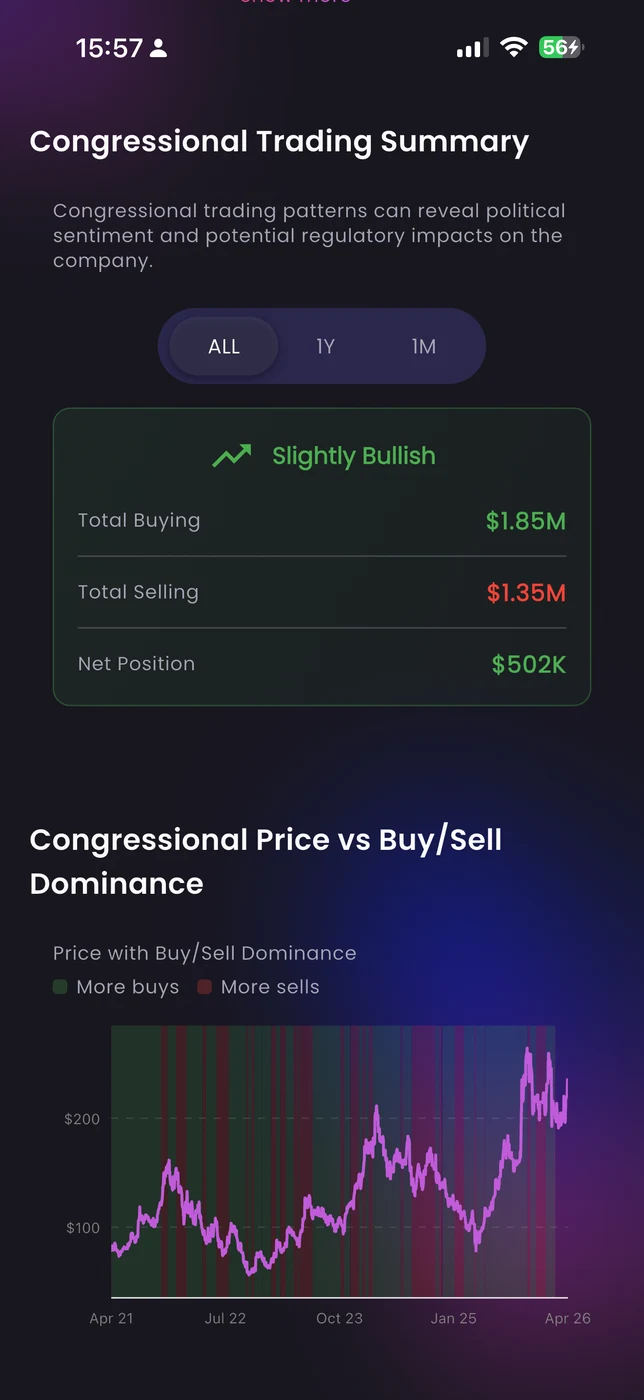
Use Bullish Trade anywhere
Keep the same portfolio-strength workflow on desktop, mobile, and web. Choose the setup that fits how you invest.



Why use this Bullish Trade workflow
Separate feeds keep the noise out and let you evaluate each type on its own terms.
Actor profiles show the full pattern so you can tell if it's notable or routine.
Move straight from the feed into company research in the same workflow.
Public filings without the SEC slog
The disclosure data is public. The problem is access: raw filings are slow and hard to navigate, social reposts strip context, and news only covers the most dramatic transactions.
The feed focuses on recent reported trades and clearly states its limitation — this is not a complete historical record. That keeps the workflow grounded in what the data actually covers.
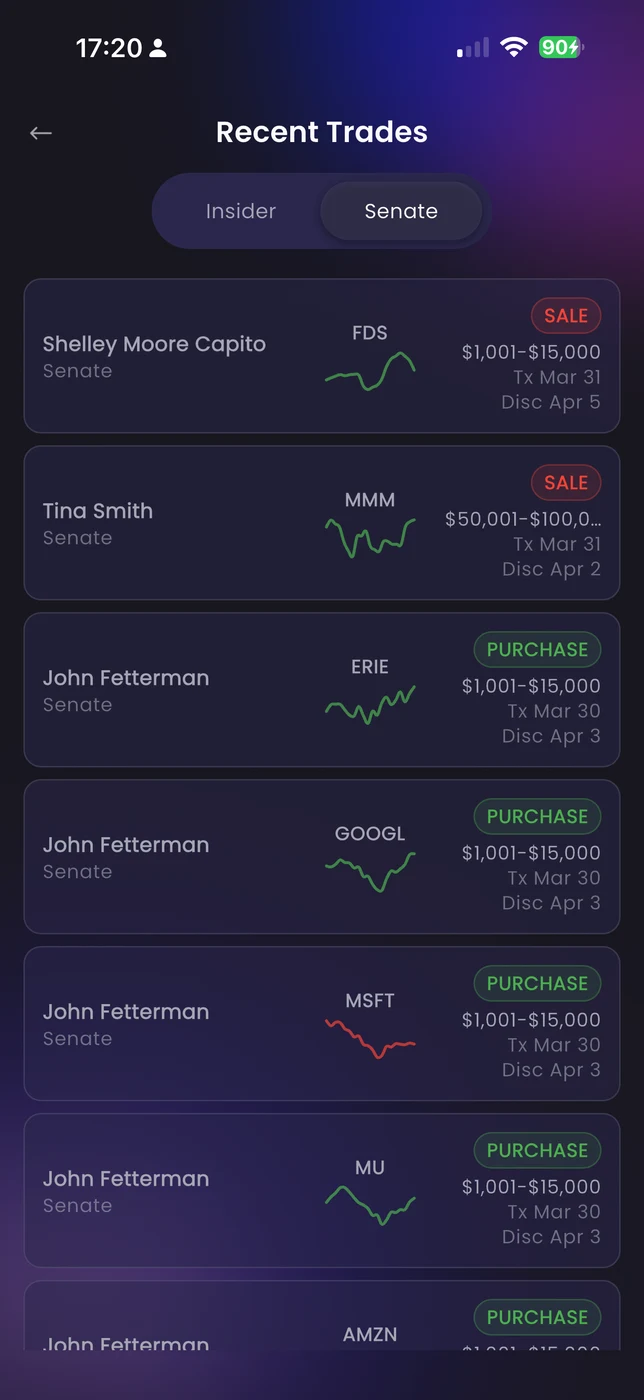
One trade is noise. Patterns are signal.
The investors who use public trades most effectively don't react to individual filings — they study actors whose track records have proven worth following.
Open the full actor history.
Summary, current holdings, and paginated trade history for any insider or senator. See whether this transaction fits a broader pattern or looks like a one-off.
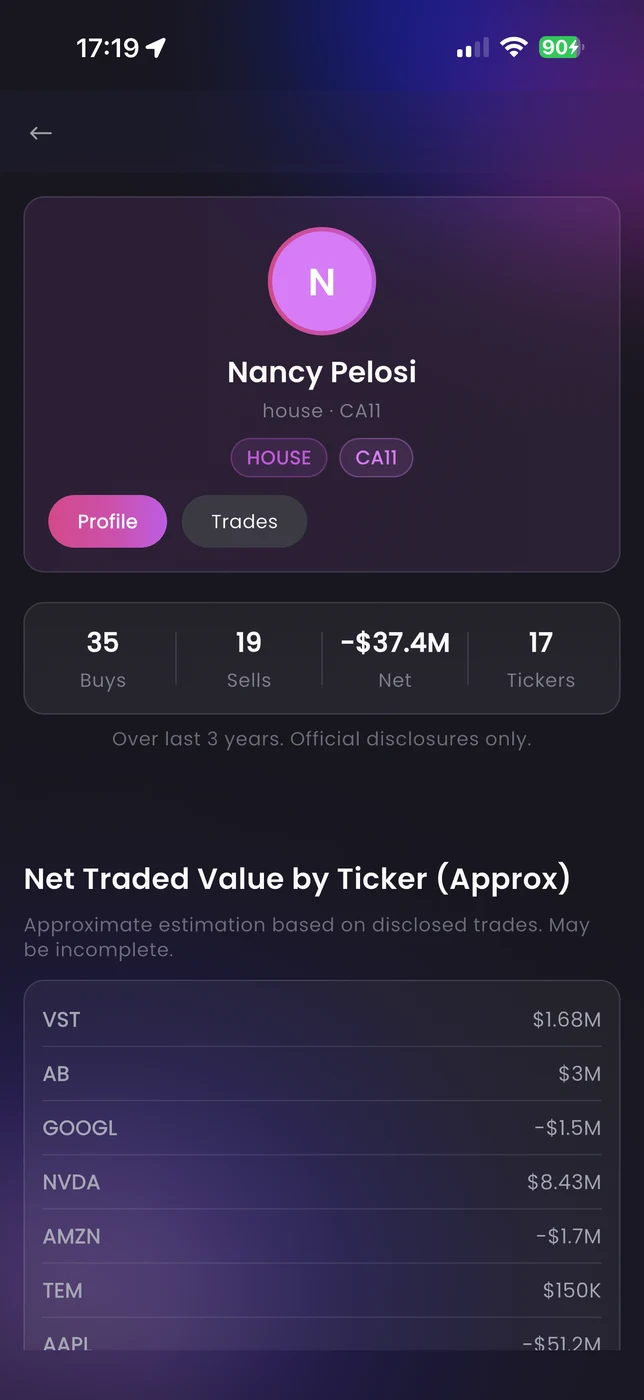
Is this trade notable or routine?
Most insider transactions are routine — diversification sales, tax planning, pre-scheduled programs. Without context, everything looks like a signal.
Enough context to filter noise fast
Trade cards include ticker, direction, transaction size, and supporting chart context so you can make a quick judgment without opening the full actor profile first.
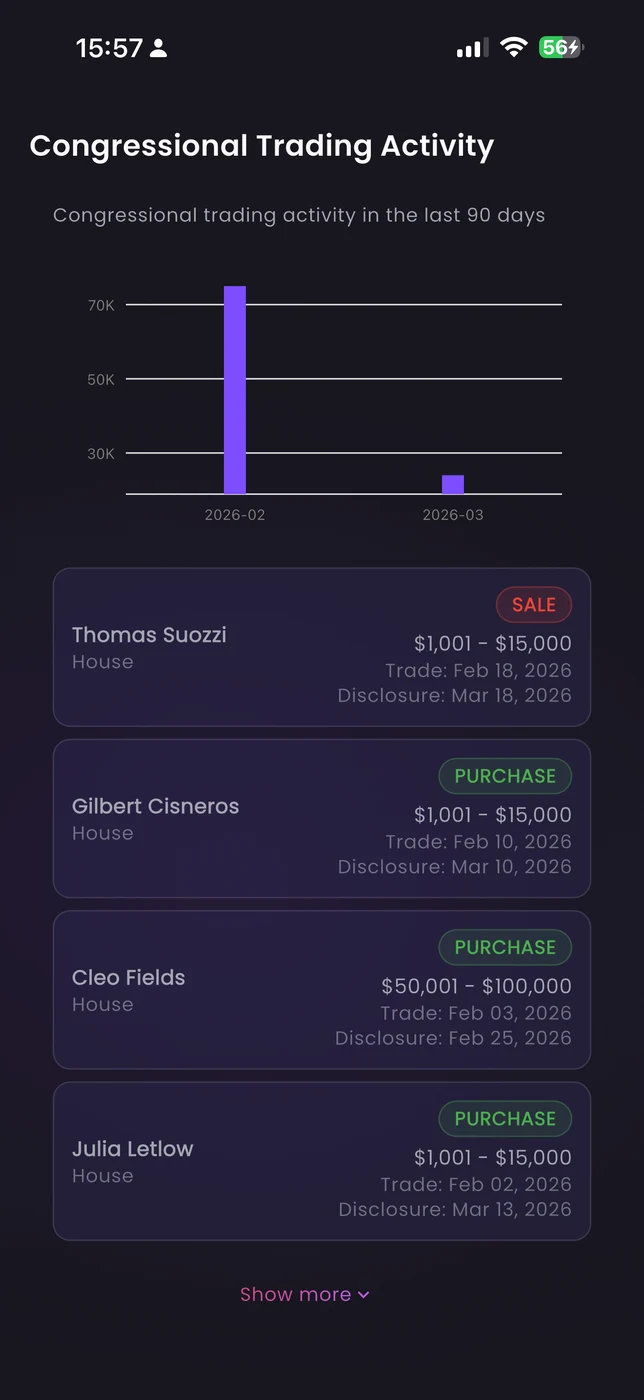
From disclosure to research in one click
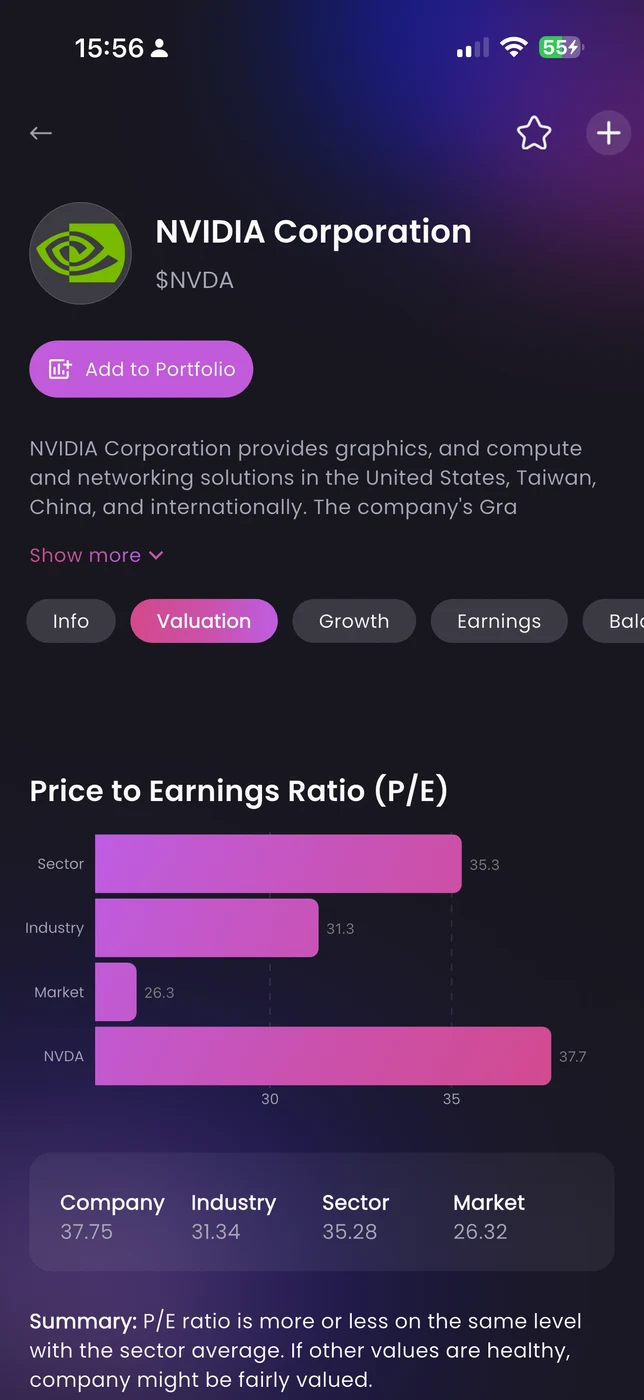
Public trades surface names worth looking at. Company research then tells you whether the business behind the disclosure actually justifies action.
That research happens inside the same workflow — not in a different tab that breaks the thread.
From screens to clearer decisions
Open the feed, choose the signal type, judge the context, then follow the interesting ones into deeper research.
See recent reported trades with context instead of raw filings or screenshots.
Switch between insider and Senate feeds depending on what you want to study.
Use trade cards and chart context to decide if the disclosure is notable or routine.
Open actor profiles, check trade history, then move to company research.
Public trades — common questions
What the feed can tell you, what it can't, and how to use it without drawing the wrong conclusions.
No — and we make that clear. The feed focuses on recent reported trades. Use it to monitor recent public disclosures, not to reconstruct a complete historical record.
They have different disclosure timelines, different motivations, and different implications. Separate feeds let you evaluate each type on its own terms without mixing signals.
No. Public trades are research inputs, not recommendations. They can surface names worth investigating, but they don't account for your situation, timing, or risk tolerance.
Start with the actor profile. A consistent pattern of buying from someone with a strong track record looks very different from a single one-off transaction. The feed and profiles give you the inputs — the judgment is yours.